
Practical AI for your business
Practical AI.
For the work
you already do.
Less repetitive handling. AI prepares drafts directly in your team’s tools, ready for people to review, edit, and approve.
Work directly with Jack McPartlan
Technology & Business Process Consultant







01 / The person behind CYNOI
Note from
Jack McPartlan.
Technology & Business Process Consultant
Practical AI starts with the work you already do, reducing repetitive handling while your team keeps its judgment.
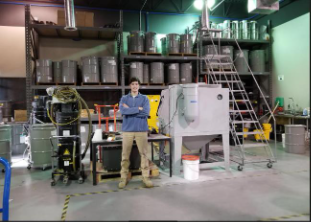
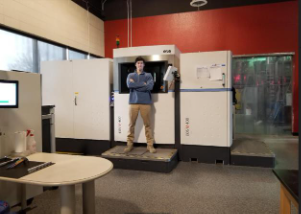
My background includes an accounting degree and five years of experience across a Microsoft partner, a Fortune 200 company, a startup, and government contractors. Today, I work with technically oriented engineering and manufacturing firms to automate their business processes.
Think of CYNOI as a partner in workflow automation and organizational transformation. You work directly with me, from the first task through setup and ongoing operation.
02 / Managed from setup onward
Beyond the
chat window.
The workflow runs the agreed steps without someone retyping every request.
A chat window is useful for a question. A repeated business process also needs connected steps, controlled updates, and ongoing operation.
- 01
A model that fits
I select and run a model sized for your task, and test updates before using them in the workflow.
- 02
Repeatable steps
Approved inputs trigger a process we test together. Drafts appear directly in the agreed system, where your team reviews, edits, and completes the work.
- 03
Reliable operation
Designed to stay available, with support and recovery plans we agree. I maintain the workflow, with service targets defined together.
Privacy is part of the setup. We agree what data the workflow can use, which tools it may access, and who can access it.
03 / Document intake in practice
Example workflow:
From your mailbox to your business system.
Start with document intake: AI reads a customer purchase order and creates a draft sales order directly in your system. You review the order, make any changes, then approve and post it.
- 01 / DOCUMENT INTAKE
Order document
arrivesA customer purchase order or other agreed order document starts the workflow. The source stays available for checking.
- 02 / DRAFT IN YOUR SYSTEM
AI creates the
draft sales orderAI extracts the order details and enters a draft sales order directly in your system, ready for your review. It remains a draft.
- 03 / REVIEW & EDIT
You open,
review, and editOpen the draft in the system you already use. Check the customer, items, quantities, and prices against the source, and resolve anything flagged.
- 04 / APPROVE & POST
You approve
and postOnce you are satisfied, approve and post the sales order through your normal process. Your team controls the final action.
Illustrative workflow from document intake to a draft sales order, not a client case study. We agree the supported record type, draft status, and posting controls for your system. Connections such as Outlook or webmail intake and your order management or ERP system are scoped to the workflow and capabilities available.
Other uses
The same approach, adapted to the task.
Accounting
Prepare draft journal entries in your accounting system for your team to review, edit, approve, and post.
Support drafts
Create a draft in your support tool for a person to review, edit, and send.
Drawing checks
Support checks while a qualified reviewer approves any resulting changes.
04 / A practical first step
Start with one
useful task.
Bring a real example and the tools your team uses. We start with your work, agree what a useful result looks like, and measure the change.
- 01
Choose one task
Identify one repeated task. Agree the scope, define a useful result, and measure how long it takes today.
- 02
Test on real work
Test the workflow with real examples, including exceptions and the time people spend checking and correcting the output.
- 03
Measure the change
Compare quality and handling time with the starting point. Decide what to improve next from that evidence.
05 / Clear scope. Clear costs.
Three core charges.
Setup, a monthly platform fee with $50 in API credits, and AI usage beyond those credits. A written quote confirms your scope and fees.
| Charge | Starting price | What it covers |
|---|---|---|
| Workflow setup | $2,500+One-time setup | Build and test one workflow. |
| Hosting and operation | $99 / monthMonthly platform fee | Basic support, hosting and ongoing operation. Includes $50 in API credits each month. |
| Additional AI usage | Varies | Any API usage in excess of $50 per month is billed separately. Cost varies based on the model selected to run the workflow. |
$2,649
ILLUSTRATIVE STARTING BUDGETOne workflow, first month.
$2,500 setup + $99 platform fee + $50 in AI usage beyond the included credits.
Assumes 100 runs at $1 of AI usage per run: $100 total usage, less $50 in included API credits. Actual usage varies with the model and task.
USD estimates. Quote confirms fees. Usage varies. Taxes, client licenses, and agreed third-party expenses are separate. Additional consulting is outside these core charges and requires approval.
Before we start
A few useful
answers.
How is this different from a chat window?
A chat window lets you ask a question. This service connects agreed steps in a repeated business process, with approved inputs, a model selected for the task, and a workflow that is tested and maintained. It describes CYNOI’s service approach, not a benchmark of every chatbot product.
Does my team still approve the work?
Yes. The AI creates the draft directly in your system. In the sales-order example, you open the draft order, check its customer, items, quantities, and prices against the source document, make any changes, then approve and post it through your normal process. The workflow leaves final approval and posting with your team. We agree the supported controls for your system before building. Drawing checks also require a qualified reviewer to approve resulting changes.
Can we use the tools we already have?
That is the starting point. Bring a real example and the tools your team uses. We agree which inputs, tools, and connections are included in the workflow before building it.
Is a 40% reduction guaranteed?
No. Forty percent less handling time is an illustrative target, not a reported client result or a guarantee. We measure the starting point and test the actual change, including human review and corrections. Results vary by workflow.
What data can the workflow access?
We agree what data the workflow can use, which tools it can access, and who has access. Privacy and permissions are part of the setup, alongside agreed service targets and recovery plans.
What is included in the $2,649 example?
The example combines $2,500 of setup, the $99 monthly platform fee, and $50 in additional AI usage. The platform fee includes basic support, hosting and ongoing operation, plus $50 in API credits each month. At 100 runs and $1 of AI usage per run, total usage is $100; the included credits cover $50, leaving $50 in additional usage charges. Fees and usage vary, and a written quote confirms the scope. Taxes, licenses, agreed third-party expenses, and additional approved consulting are separate.
Your first workflow starts here
Let’s find your
first workflow.
Bring a real example with the systems you use. We’ll define a workflow your team can review and control.
Your team stays in control.